Explore products and categories when you want inspiration rather than obligation.
Online window shopping
Online window shopping for dream carts and product discovery
DreamCheckout turns online window shopping into a polished simulator for product discovery, wish carts, mood boards, fake checkout, and browsing without real purchase pressure.
Use carts, wishlist, and compare tools to collect styles, routines, gifts, and ideas.
Finish the shopping story only as simulation, not as a real purchase.
Window shopping belongs online too
DreamCheckout supports product discovery, visual browsing, and wish-making without asking the user to buy. It is for people who want the store window, not the sales pressure.
Good for inspiration, planning, and cooling off
Online window shopping can be creative and useful when the boundary is clear: enjoy the store-like surface, build wish carts, compare options, and keep checkout simulated.
A softer keyword than fake shopping
Some users do not search for fake checkout. They search for a way to browse without pressure, collect ideas, and leave without loss. This page is built for that softer intent.
Use product discovery as inspiration without the pressure to complete a real checkout.
Turn visual interest into carts that represent styles, routines, gifts, rooms, or future upgrades.
This page speaks to people who want online window shopping, not necessarily fake checkout language.
Browsing without buying can help identify which ideas still feel useful after the first spark fades.
Detailed explanation
How a fake checkout can help with real shopping pressure
DreamCheckout is not a store and not therapy. It is a structured simulator that gives the shopping impulse somewhere safer to go before it reaches a real card, a real package, or real regret.
Definition
Online window shopping is product discovery without checkout pressure
Window shopping has always been about looking, imagining, comparing, and enjoying possibility before buying anything. Online window shopping brings that same behavior into a digital catalog. The user may not be ready to buy. They may not want to buy at all. They may simply want inspiration, entertainment, research, or a small break.
DreamCheckout gives online window shopping more structure than a normal store. The user can browse products, open details, compare options, add items to wishlists or carts, and even complete a simulated order. The key difference is that the platform remains clear: this is virtual shopping. The cart can be a mood board, not an obligation.
This softer intent matters for SEO and product design. Not everyone searching for this experience uses words like fake shopping or impulse buying. Some people simply want to browse without pressure. They want the pleasure of the store window, not the demand of the cashier.
Inspiration
A virtual cart can become a mood board with prices and product details
A normal mood board is visual. A DreamCheckout cart adds ecommerce structure: titles, categories, prices, reviews, product details, related picks, and checkout flow. That structure makes the fantasy more concrete. A cart for a home office, a vacation wardrobe, a comfort evening, or a gift idea can show what kind of life the user is imagining.
The value is not always the product itself. Sometimes the cart reveals a style direction. Sometimes it reveals a practical problem. Sometimes it shows that the user wants calm, color, status, energy, softness, order, or play. Online window shopping becomes more useful when it turns vague taste into visible patterns.
Because DreamCheckout does not require real payment for the simulated flow, the user can explore more honestly. They can add aspirational items, practical items, and silly items without making a real commitment. That freedom is part of why window shopping feels good.
Interface proof
Online window shopping as a visual browsing flow
DreamCheckout catalog
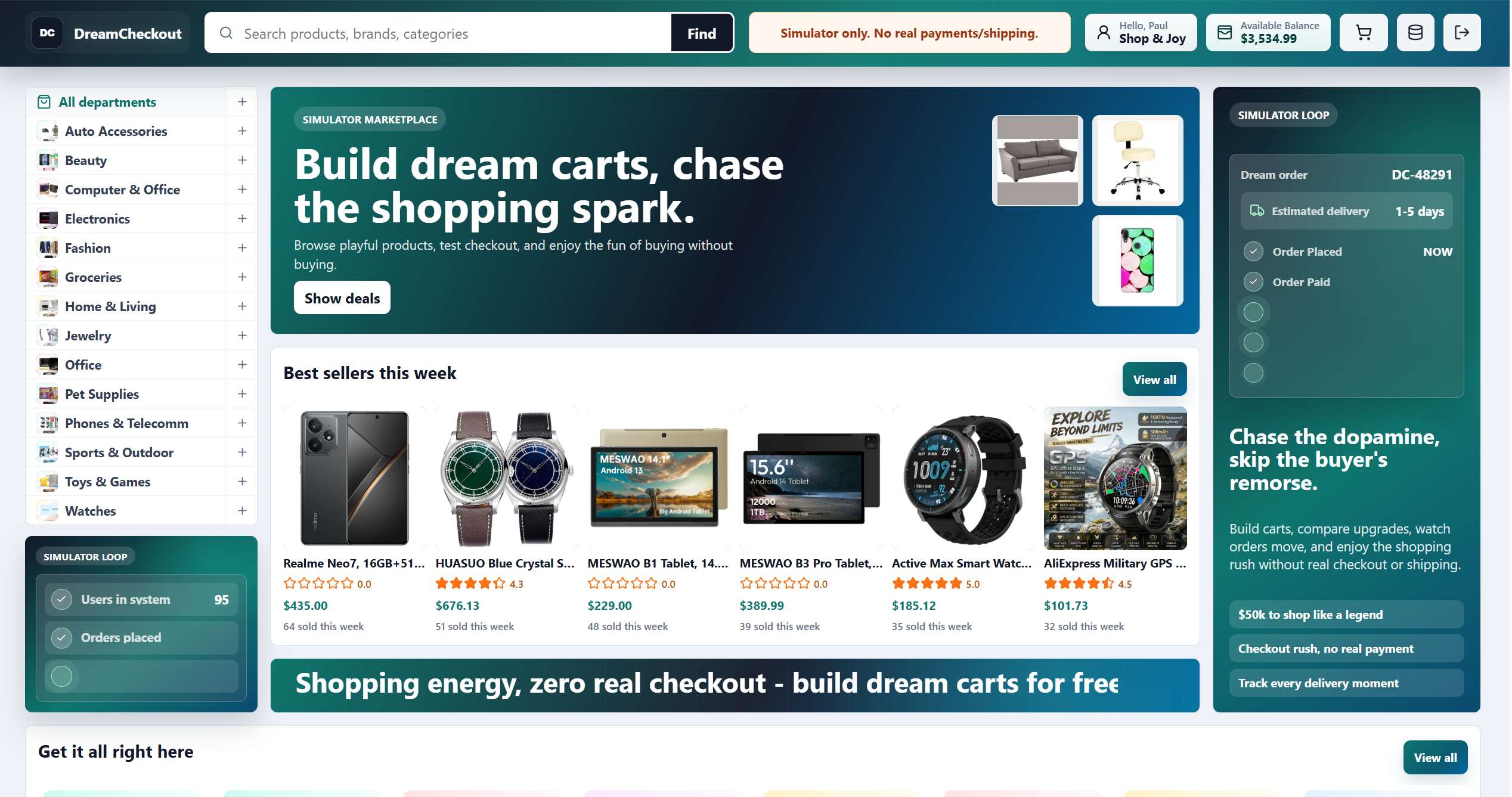
The catalog creates the first layer of a fake online shopping simulator: product discovery, categories, prices, ratings, visual browsing, and a clear simulator-only notice.
Filters and product grid
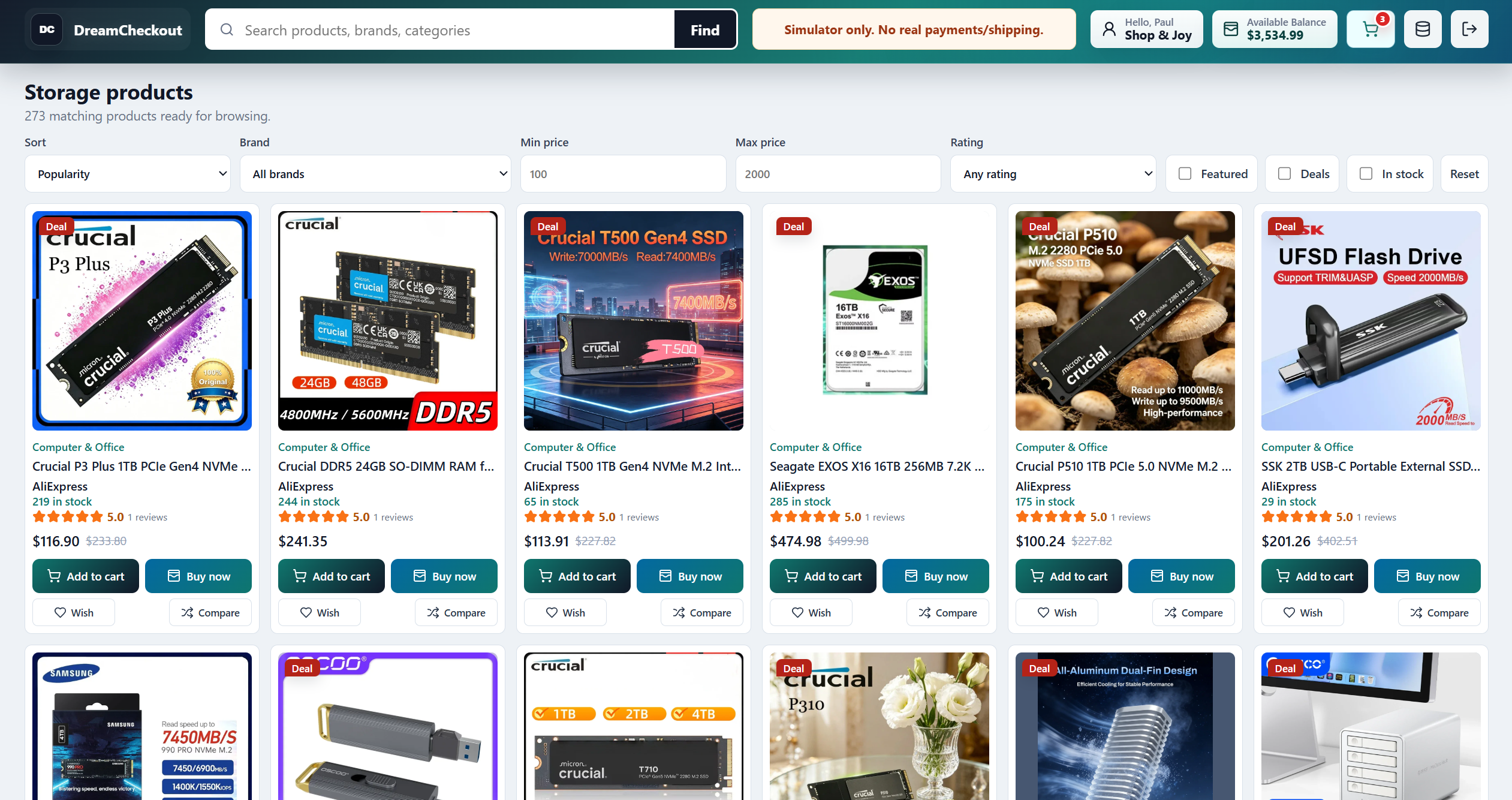
Sorting, brand filters, price ranges, rating filters, deals, stock, wishlist, compare, add-to-cart, and buy-now buttons make the fake store feel like a real ecommerce surface.
Planning
Browse now, decide later
Online window shopping works best when it supports delayed decisions. The user can collect ideas today and evaluate them later. This is especially useful for gifts, home upgrades, wardrobe changes, desk setups, travel planning, or any category where the first spark may not be the best guide.
DreamCheckout lets the user treat carts as drafts. A draft cart does not need to be perfect. It can hold a theme, a price range, a few options, or a fantasy version of a future purchase. Later, the user can compare the cart against a real budget, real needs, and real product research.
That delay improves decisions because it separates inspiration from commitment. The user can enjoy discovery without pretending that discovery must immediately become ownership.

Stress, desire, and delayed spending
Composite consumer psychologist
The useful moment is the gap between wanting and paying. A simulator can widen that gap without shaming the desire.
Generated composite portrait. This is not a real person or a quoted clinician.- Shopping urges often carry emotional information, not only product intent.
- A cart makes the urge visible enough to inspect.
- A simulator is a pause tool, not therapy or medical advice.
Stress-free browsing
The best window shopping experience removes urgency
Real ecommerce often adds urgency: sale timers, stock warnings, limited offers, and personalized nudges. Those tools can be useful, but they can also make browsing feel like pressure. Online window shopping is calmer when the user can look without being pushed toward payment.
DreamCheckout still uses familiar commerce elements because they make the experience satisfying. But the simulator boundary changes their meaning. A cart is a place to think. Checkout is a fictional ending. Delivery is a generated story. The user can enjoy the shape of ecommerce without treating every signal as a command.
This can be especially helpful for people who like shopping aesthetics but dislike the financial consequence. The page can become a place for inspiration, not a trap.
Interface proof
Cart, checkout, and account evidence
Cart and checkout path
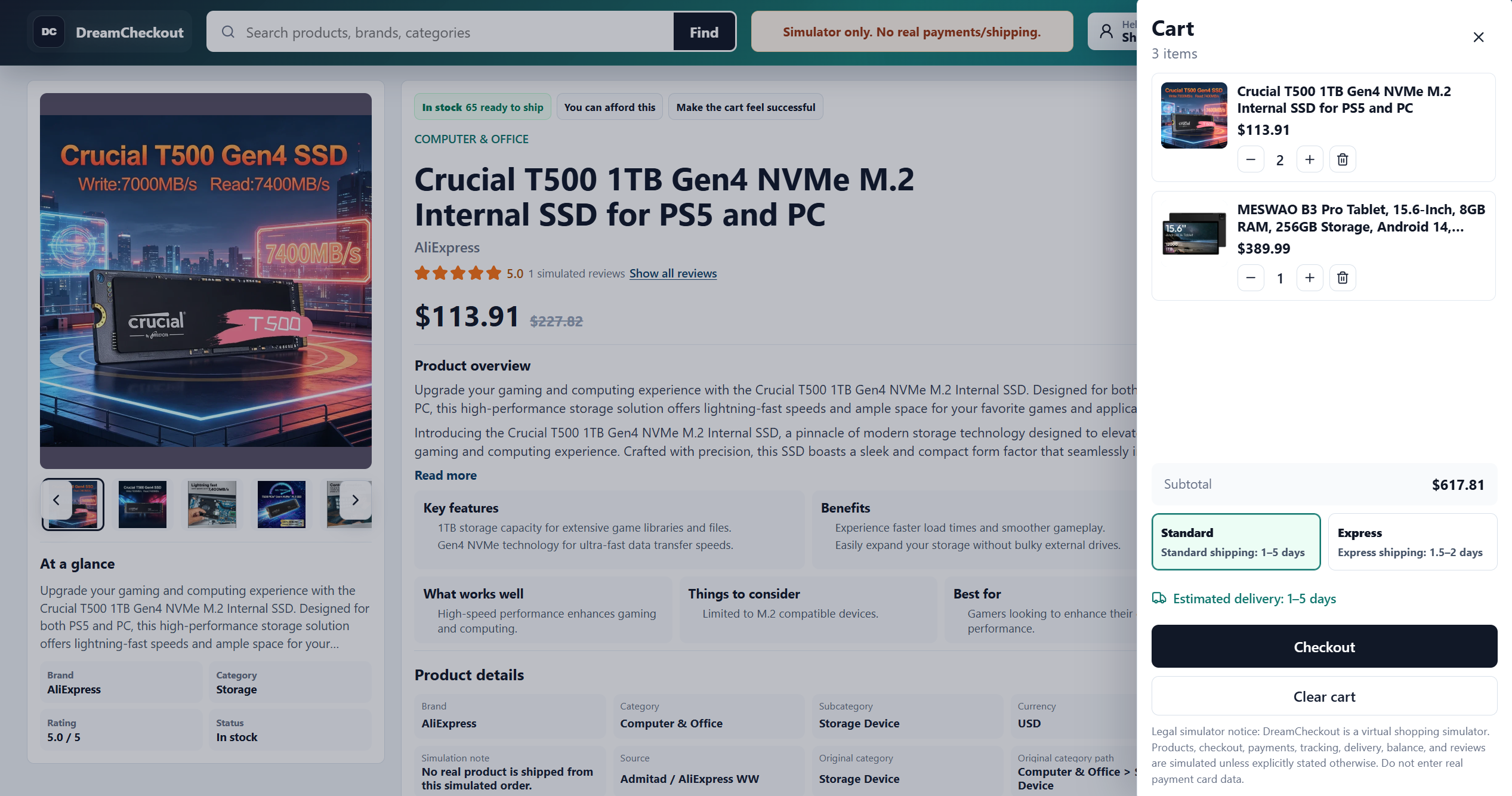
The cart drawer turns browsing into a visible list, shows subtotal and shipping choices, and gives the user checkout-shaped closure without a real payment card.
Account and virtual balance
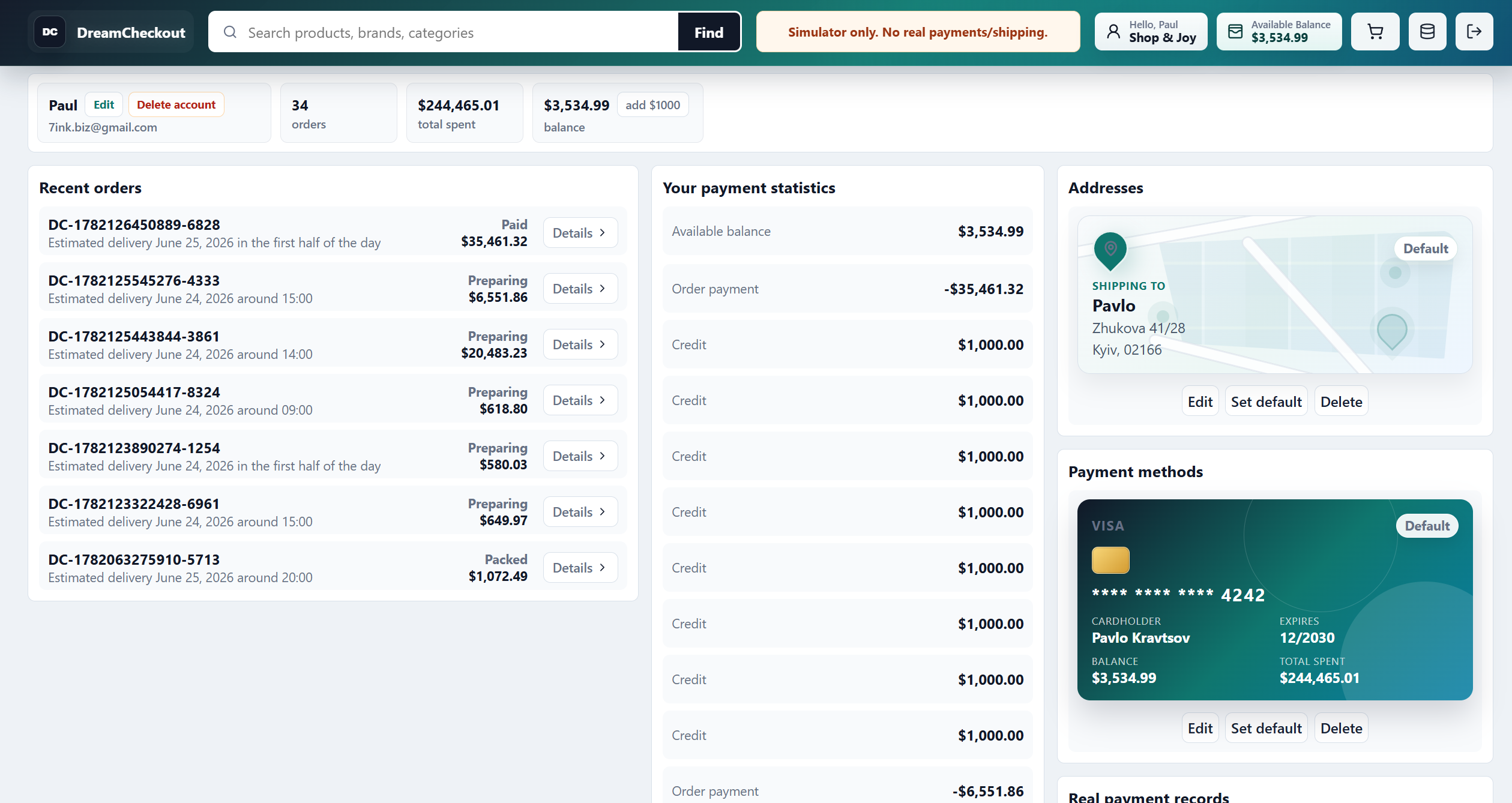
The account area makes the simulator feel complete: recent orders, payment statistics, virtual balance, saved address, and a fake payment method remain inside the no-real-transaction frame.
How to use it
A practical online window shopping routine
Pick a theme before browsing. It might be "calmer bedroom," "better workday," "weekend outfit," "gifts under $50," or "things that make cooking easier." A theme keeps the session focused and makes the cart easier to read afterward.
Browse broadly for a few minutes, then narrow. Add items that fit the theme. Remove items that only appeared because they were flashy. Compare the remaining products and ask what they have in common. The answer may become a real wishlist, a budget note, or simply a satisfying fantasy.
End with a pause. You can save the cart, complete fake checkout for closure, or move one item to a real research list. The important part is that the window shopping session ends before it turns into automatic spending.
Boundary
Window shopping online should stay clearly separate from real retail
DreamCheckout product information supports simulated browsing. Prices, descriptions, stock messages, reviews, and delivery notes are not retail promises. They may be generated, imported, incomplete, or wrong. Anyone planning a real purchase elsewhere should verify details with the actual seller, manufacturer, or authorized retailer.
That boundary lets the experience be playful. The user can browse freely because the site is not asking them to treat every product as a real offer. This is window shopping in the old sense: look, imagine, compare, learn, and leave if leaving is the best choice.
The simulator is most useful when it is honest. It should feel abundant and polished, but never ambiguous about real payments or shipping.
Interface proof
Cart, checkout, and account evidence
Tracking interface
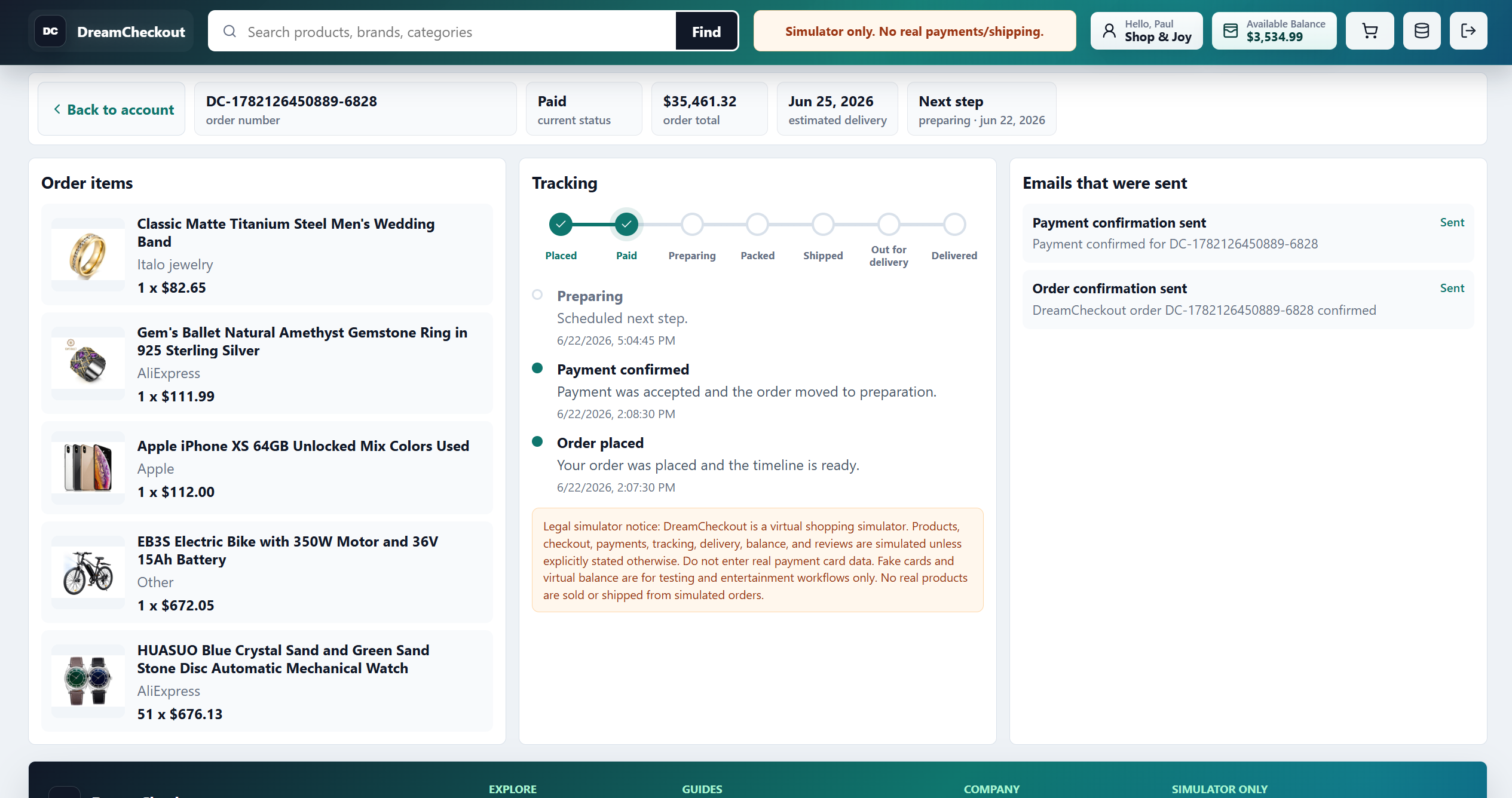
The tracking interface completes the simulated order story with item lists, status steps, email events, and an explicit legal simulator notice.
Order confirmation email
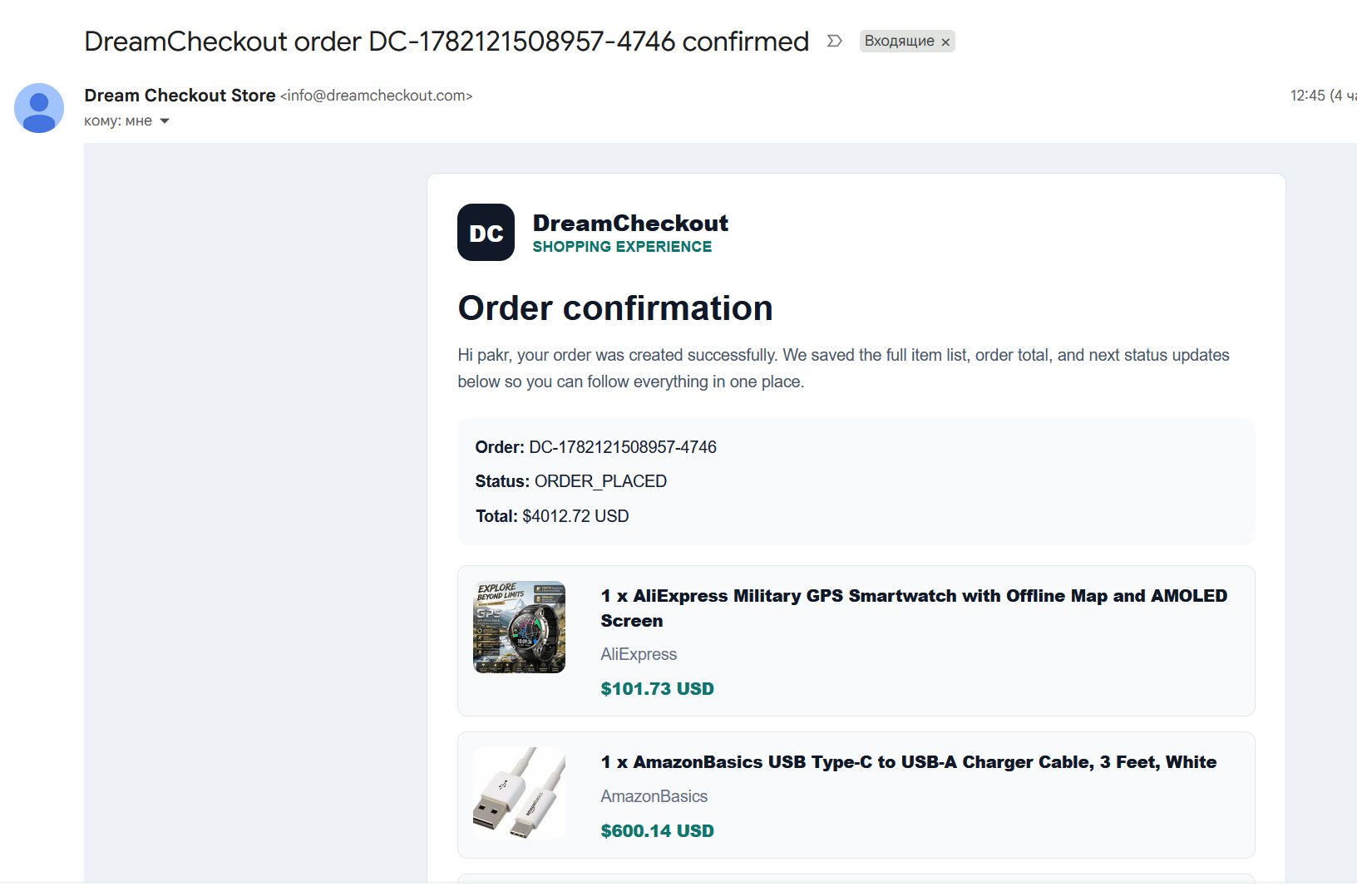
The order confirmation email extends the fake shopping loop beyond the browser with a receipt-like structure, item cards, order status, and branded simulator identity.
Screenshots
How DreamCheckout makes online window shopping visible
The catalog screenshot is the digital store window. It gives the user product images, category cues, ratings, prices, deals, and discovery rows without demanding a purchase. For this page, that matters more than checkout. The first promise is simple: look, imagine, compare, and leave if that is enough.
The filters screenshot shows how window shopping becomes more than passive scrolling. A user can sort, narrow by brand, set price ranges, choose ratings, and focus on deals or in-stock items. That makes browsing feel intentional. The user is not only killing time; they are shaping a visual idea.
The cart and account screenshots show how a window-shopping session can become a wish cart. A user can collect products into a structured list, see totals, compare categories, and keep the experience inside virtual balance and simulated account context. The cart becomes a mood board with ecommerce details.
The tracking and email screenshots are optional for this softer intent. Some window shoppers only want to browse. Others enjoy completing the fictional story. DreamCheckout supports both: the user can stop at inspiration or continue into fake checkout, simulated tracking, and confirmation email without creating a real purchase.

Why ecommerce signals feel rewarding
Composite retail strategist
Product grids, cart badges, checkout steps, and tracking timelines are progress signals. DreamCheckout keeps the signals while removing real payment.
Generated composite portrait. This is not a real person or a quoted retail executive.- Discovery, filtering, carting, checkout, and tracking create the shopping ritual.
- Realistic UX has to be paired with explicit simulator boundaries.
- The best no-spend experience feels familiar but never deceptive.
Expert perspective
Why experts see window shopping as imagination, not failure to buy
A psychologist would not treat window shopping as automatically unhealthy. Looking, comparing, and imagining are normal behaviors. The key question is whether the session leaves the user clearer or more pressured. A simulator can help by removing the real checkout demand and letting the user observe what they are drawn to.
A retail strategist would say that window shopping is discovery without conversion pressure. Real stores often try to pull browsing toward payment as quickly as possible. DreamCheckout can preserve the discovery layer while changing the goal. The point becomes inspiration, not transaction.
An ecommerce UX expert would focus on saved context. Wishlists, compare tools, carts, account history, and emails can turn casual browsing into something the user can revisit. In a simulator, that context is useful because it lets the user evaluate ideas later without having committed money.
Together, those perspectives make online window shopping a legitimate page, not a weaker version of fake checkout. Some users are not trying to stop impulse buying or chase dopamine. They just want a pleasant product-discovery surface without the pressure of a real retailer.
Mood boards
Wish carts can organize taste, not just products
A window-shopping cart can be organized around a room, a feeling, a trip, a wardrobe, a hobby, a gift idea, or a future project. The products are useful because they make the idea concrete. A bedroom cart may reveal a preference for warmer light. A workday cart may reveal a desire for less friction. A weekend cart may reveal a need for play.
This is different from a normal wishlist because DreamCheckout keeps the ecommerce structure visible. Prices, categories, ratings, product cards, and comparison options make the fantasy more specific. The user can see whether the idea is expensive, practical, repetitive, or mostly emotional.
Wish carts can also help users communicate ideas. A gift cart, home-office cart, travel cart, or comfort cart can be shared mentally with a partner, family member, or future self. Even if no real purchase follows, the cart has clarified a taste direction.
The healthiest window-shopping session ends with a clearer mood board, not a pressured checkout. The user should feel inspired, amused, or more informed. If the session becomes urgent, it has shifted into impulse territory and should use the fake-cart pause routine instead.
Use cases
When online window shopping is genuinely useful
It is useful for gift planning because the user can explore several possible directions without buying too early. A fake cart can hold ideas for different people, price ranges, or themes. Later, the best idea can move into real research.
It is useful for home and style planning because the user can collect visual patterns. A cart of lamps, rugs, chairs, or desk items can reveal a design direction. A cart of jackets, shoes, and accessories can reveal a wardrobe direction. The simulator turns taste into a structured draft.
It is useful for budgeting because it separates inspiration from purchase. The user can enjoy the idea today, then decide later whether any item deserves a budget line. That delay prevents the first spark from becoming an automatic order.
It is useful for stress breaks when the user wants something visually engaging but does not want a real bill. Browsing a finite theme can become a short reset. The key is to end the session before it turns into endless product hunting.
Final note
The best online window shopping ends with inspiration, not pressure
Online window shopping should feel open and low-stakes. The user can look without proving that the look must become a purchase. DreamCheckout supports that by giving product discovery, carts, compare tools, and optional fake checkout inside a simulator boundary.
The page should speak softly compared with the fake checkout page. The main verb is browse. The secondary verbs are save, compare, imagine, and revisit. Checkout exists, but it is optional and simulated.
That makes this page important for the SEO cluster. It catches users who want the pleasure of browsing but do not yet identify with impulse buying, dopamine shopping, or fake checkout. It gives them a gentler door into DreamCheckout.

Email, tracking, and cart recovery loops
Composite ecommerce lifecycle expert
The post-checkout layer is where shopping becomes a story. In a simulator, that story can create closure without a parcel.
Generated composite portrait. This is not a real person or a quoted product leader.- Confirmation emails make the simulated order memorable.
- Tracking pages turn a fake decision into a visible sequence.
- Abandoned-cart reminders should invite reflection, not pressure.
Browsing modes
Four ways to use online window shopping
The inspiration mode is for visual discovery. The user browses products because they want ideas, not because they are ready to buy. DreamCheckout supports this with product images, categories, ratings, and wish carts that can hold a style direction without becoming a purchase order.
The planning mode is for future decisions. A user can build a cart for a gift, room, desk setup, outfit, trip, or hobby. The cart becomes a draft. Later, the user can compare the draft with a real budget, real timing, and real product research.
The cooling mode is for people who feel tempted but do not want to buy yet. They can browse and build a cart, then stop before real payment. If the urge fades, the window shopping session did its job. If one idea remains, it can move to a slower decision.
The playful mode is for users who simply enjoy the store-like surface. They can browse, compare, and complete a fake checkout for entertainment. The important part is that the interface stays explicit: this is virtual shopping, not a real retail promise.
Mistakes
When online window shopping becomes pressure again
The first mistake is opening a real retailer when the user only wanted inspiration. Real stores are optimized for conversion. They use urgency, discounts, saved payment details, and retargeting. DreamCheckout is safer for soft browsing because it keeps checkout simulated.
The second mistake is treating every wish cart like a shopping list. A wish cart can be a mood board, style board, gift draft, or fantasy. It does not need to become a real order. The value may be the clarity it creates, not the purchase it suggests.
The third mistake is browsing without a theme. Window shopping works better when the user gives the session a frame: calm bedroom, better workday, birthday gifts, travel ideas, warmer wardrobe, or products that make cooking easier. A theme turns wandering into discovery.
The fourth mistake is ignoring the exit. The best window shopping session ends with inspiration, a saved idea, or a clearer preference. If the session ends with urgency or pressure, it has shifted into impulse-buying territory and should use a pause routine.
Real-life playbook
Four simple ways to use it when the urge to buy appears
Browse around a clear idea: calmer room, better desk, warmer wardrobe, gift basket, or future weekend.
Add products that fit the theme, then read the cart as a mood board rather than a shopping list.
If one item still feels useful later, move it to a real research list instead of buying in the first session.
A window shopping session is successful if it gave inspiration, clarity, or amusement without a real charge.