
Product overview
About the product 1. Replacement LCD display screen for MacBook Air 13. 6 inch M4 A3240 2025 EMC8781. 2.
Replace the old, broken, cracked, damaged one. 3. Make your device look more refreshing than ever. 4.
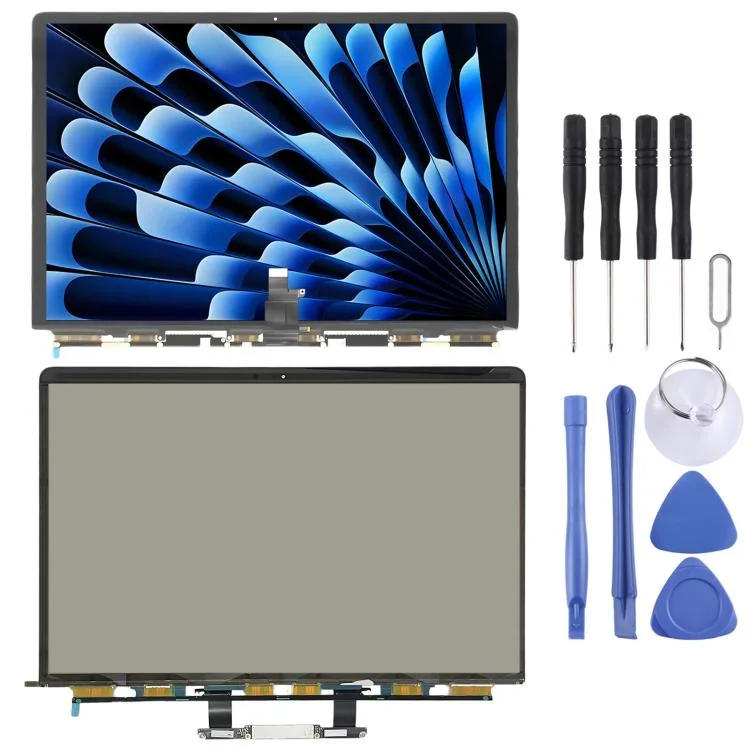
About the product 1. Replacement LCD display screen for MacBook Air 13. 6 inch M4 A3240 2025 EMC8781. 2.
Electronics
SUNSKY
About the product 1. Replacement LCD display screen for MacBook Air 13. 6 inch M4 A3240 2025 EMC8781. 2.
Replace the old, broken, cracked, damaged one. 3. Make your device look more refreshing than ever. 4.
A compact row mixed from your browsing signals and products close to this item.
About the product 1. Replacement LCD display screen for MacBook Air 13. 6 inch M4 A3240 2025 EMC8781. 2.
Replace the old, broken, cracked, damaged one. 3. Make your device look more refreshing than ever. 4.
Each item has been checked and in good condition before shipping. 5. Professional installation is highly recommended. We will not be responsible once the screen is installed.
Before Installation Notes 1.
About the product 1. Replacement LCD display screen for MacBook Air 13.6 inch M4 A3240 2025 EMC8781. 2. Replace the old, broken, cracked, damaged one. 3. Make your device look more refreshing than ever. 4. Each item has been checked and in good condition before shipping. 5. Professional installation is highly recommended. We will not be responsible once the screen is installed. Before Installation Notes 1. Tips 1: Test before installation When testing, do not remove any protective film or tags. Please pay attention to the problem of static electricity. Before attempting any repair, be sure to ground yourself is an ESD (electro static discharge) strap. This will prevent static electricity from damaging the electronic components within the device. Ensure you wear eye protection and use caution not to cut your finger with the glass splinters. 2. Tips 2: Simulates testing Screen replacement is very fragile product. We strongly suggest test before installation. Please simulates testing, which means mobile deviceapart, (motherboard + LCD or screen) connected audio cable and new replacement, power on, test finished. If test OK, please install it. If it can not show, please contact us at the very first time. And please do not force it to be installed in mobile device. We will not be responsible once the screen is installed. 3. Tips 3: Do not over-bend cable Please make sure LCD cable Do not over-bend. Over 90 degrees bent will cause black display.
DreamCheckout is a shopping simulator. Product information supports virtual browsing only, not real checkout or shipping.
Personal picks with a stronger relationship to this product.
3 published simulator reviews.
Reviews unlock after a delivered simulated purchase.
Replaced my broken display with this one. The picture quality is stunning, and the installation was straightforward. Highly satisfied with the result!
The LCD screen worked well for my MacBook Air, though I had some trouble aligning it during installation. Once I got it in place, everything looked great. Just be careful if you're doing it yourself!
I replaced the cracked screen on my MacBook Air and while the display looks nice, I did notice some color discrepancies compared to the original. It's an okay option if you're on a budget, but I expected better quality.
Helpful pages about virtual shopping, fake checkout, and simulator rules.
Popular catalog picks weighted toward the same shopping mood.